
Table of Contents
- Key Highlights:
- Introduction
- Understanding Keyboard Mechanics
- Key Features to Consider
- Budgeting for a Gaming Keyboard
- Wired vs. Wireless Gaming Keyboards
- Do You Need a Gaming Mouse?
- Recommendations for the Best Gaming Keyboards
Key Highlights:
- Types of Keyboards: Understand the differences between traditional and mechanical gaming keyboards to find what suits your playstyle.
- Essential Features: Discover important features like keyboard mapping, LED backlighting, and USB 3.0 connectivity that enhance your gaming experience.
- Budget Ranges: Learn about the price spectrum of gaming keyboards and what to expect for each price point, from entry-level to premium options.
Introduction
Gaming keyboards serve as the crucial interface that connects players to their virtual worlds. As vital as your graphics card or CPU, a high-quality keyboard can enhance gameplay significantly. With options ranging from affordable traditional models to feature-rich mechanical designs, the choice can often be overwhelming. Whether you’re a casual gamer or a seasoned pro, understanding what features best complement your gaming style is paramount to making an informed decision. This guide will break down the essentials, various types of gaming keyboards, and features that you should be looking out for, alongside practical recommendations to elevate your gaming experience.
Understanding Keyboard Mechanics
Traditional vs. Mechanical Keyboards
The first decision in selecting a gaming keyboard often comes down to the type of keyboard: traditional or mechanical.
Traditional Gaming Keyboards
Traditional keyboards function on a membrane-based system. When a key is pressed, a rubber dome is compressed, completing the circuit and sending a signal to the computer. This type works well for general tasks and light gaming but lacks the responsiveness and tactile feedback sought by hardcore gamers. They are generally lighter on the wallet, making them an attractive starting point for new gamers.
Mechanical Gaming Keyboards
Mechanical keyboards are the go-to choice for serious players. Each key has its own mechanical switch, which means the keystrokes are registered quicker and more precisely. This design allows for lighter presses and shorter key travel distances, crucial for fast-paced gaming situations where every millisecond counts. Though mechanical keyboards can be more expensive and generate noticeable clicking sounds, their durability and responsive feel make them invaluable for extended gaming sessions.
Key Features to Consider
Keyboard Mapping
Most gaming keyboards include a key mapping feature, enabling players to customize keyboard shortcuts tailored to individual games. For instance, if a game requires certain commands to be executed quickly, you can assign them to specific keys for ease and efficiency, providing a competitive edge.
LED Backlighting
Gaming sessions often extend into the night, making backlit keyboards an essential feature for many players. Backlighting not only enhances visibility in dark environments but also offers aesthetic appeal with customizable colors. This allows gamers to personalize their setups and create immersive atmospheres that complement their gameplay.
Built-in LCD Screens
Some high-end gaming keyboards come with integrated LCD screens. These screens can display real-time game stats, system information, or even notifications from your phone. Such an addition allows for seamless multitasking and enhances the gaming experience by keeping players informed without looking away from the action.
Response Time
The immediacy of key response is vital for competitive gaming. Measured in milliseconds, a keyboard's response time dictates how quickly it registers your keystrokes. Lower response times are non-negotiable for serious gamers, as each delay could cost valuable time during intense gameplay.
USB 3.0 Connectivity
Wired keyboards often come with USB 3.0 capabilities, ensuring fast communication with the computer. This is particularly relevant in high-stakes gaming environments where lag can make the difference between victory and defeat. While USB 2.0 is sufficient for many setups, opting for USB 3.0 or higher is advisable for reduced input lag.
Budgeting for a Gaming Keyboard
Entry-Level Models
For those just stepping into the gaming world, entry-level keyboards priced between $15 and $40 provide a solid foundation. Though they may lack advanced features, they offer adequate performance for casual gaming and basic functionality.
Mid-Range Options
As gaming needs grow, mid-range models typically range from $40 to $100. These keyboards offer enhanced features such as mechanical keys, customizable macros, and better build quality. They strike a balance between functionality and affordability, catering to dedicated gamers looking for reliable performance.
High-End Keyboards
High-end gaming keyboards often cost over $100 and include premium options such as advanced mechanical switches, fully customizable RGB lighting, and additional functionality like programmable macros and onboard memory. These are designed for hardcore gamers who demand the best performance and are willing to invest accordingly.
Wired vs. Wireless Gaming Keyboards
When choosing between wired and wireless options, most gamers still prefer wired keyboards. The main drawback of wireless technology is latency, which can create a lag between pressing a key and the computer registering the input. For games requiring split-second decisions, the reliability of a wired connection is often paramount.
Do You Need a Gaming Mouse?
The decision to purchase a gaming mouse alongside your keyboard ultimately depends on your gaming style. Many genres, such as first-person shooters or real-time strategy games, require precise mouse movements and keyboard commands, thereby benefiting from a specialized gaming mouse that can enhance reaction times and control.
Recommendations for the Best Gaming Keyboards
Best Overall Gaming Keyboard
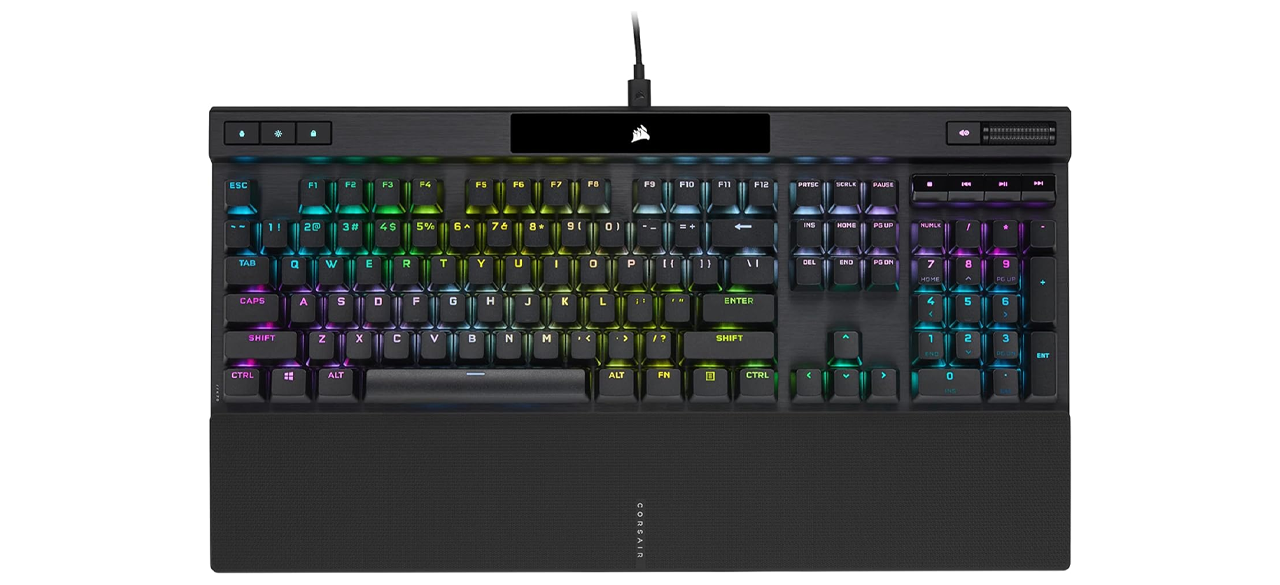
The Corsair K70 RGB PRO Wired Mechanical Gaming Keyboard stands out for its exceptional responsiveness and solid construction. It features CHERRY MX SPEED RGB silver mechanical switches, facilitating a uniform keystroke pressure throughout the board. With AXON technology, it provides faster inputs and is a great contender for both casual and competitive gamers. However, its high sensitivity may not be ideal for regular typing tasks.
Best Budget Gaming Keyboard
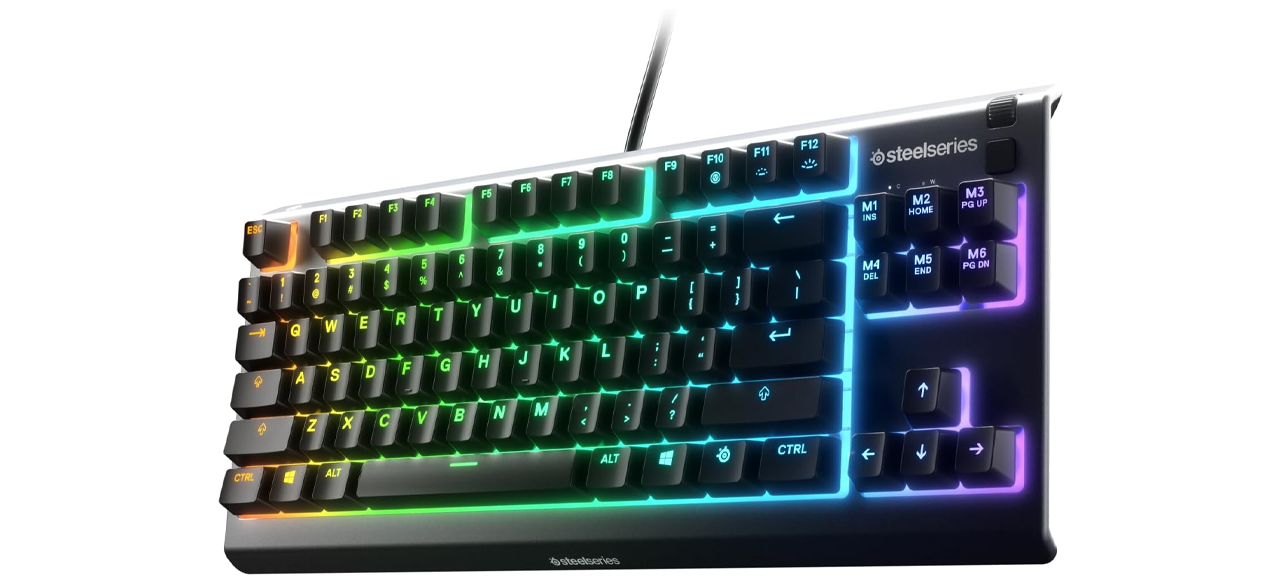
For gamers on a budget, the SteelSeries Apex 3 TKL RGB Gaming Keyboard is an economical choice that doesn't compromise on quality. Its quiet keys and anti-ghosting technology set it apart for accuracy, while its IP32 water- and dust-resistant build ensures durability. Features such as dedicated media controls enhance usability.
Worth Checking Out
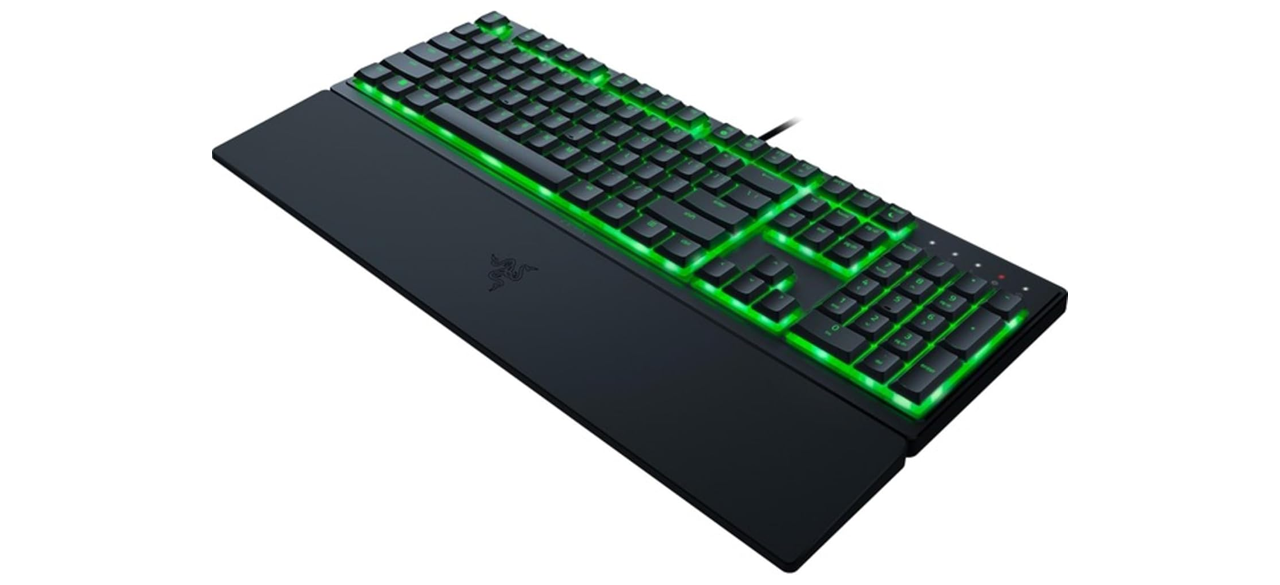
The Razer Ornata V3 X Gaming Keyboard offers a balance of comfort and performance with its durable design and customizable backlighting. It features a comfortable wrist rest and ergonomically set keys, catering to lengthy gaming sessions without discomfort. However, users should note that the controlling software can sometimes run sluggishly.
FAQ
What should I prioritize if I’m looking for a gaming keyboard?
Focus on the type of switches and overall responsiveness that match your gaming needs. Consider features such as backlighting, customizable key mapping, and the durability of the build.
Is a mechanical keyboard worth the investment?
If you are an avid gamer, a mechanical keyboard is generally worth the investment due to its responsiveness, durability, and superior switching technology that enhances gameplay experience.
Are there gaming keyboards for specific genres?
Yes, many gaming keyboards offer features tailored to specific genres. For instance, FPS-focused keyboards may prioritize rapid keystroke response and customization options for macros, while RPG-focused models may include comprehensive lighting systems and customizable keys for character commands.
How often should I replace my gaming keyboard?
The lifespan of a gaming keyboard varies based on usage and quality. Premium mechanical keyboards can last for many years, while budget options may need replacement sooner. Pay attention to wear and tea and functionality to determine when to upgrade.
Do all gaming keyboards come with RGB lighting?
No, while many gaming keyboards feature RGB lighting, it is not a standard. Always check the product specifications if this is a crucial feature for your setup.
By understanding your own gaming preferences, investing in the right features, and selecting the perfect keyboard, you can enhance your gaming experience and significantly improve your performance across various genres.